Nepali OCR with Python
Nepali OCR detector
In this post I am going to present Nepali Optical Character Recognition (OCR) that extracts Nepali text from images and scanned documents so that it can be edited, formatted, indexed, searched, or translated. Below mentioned code are written in python, using easyocr as a heart of this post.
OCR
Optical character recognition or optical character reader (OCR) is the electronic or mechanical conversion of images of typed, handwritten or printed text into machine-encoded text, whether from a scanned document, a photo of a document, a scene-photo (for example the text on signs and billboards in a landscape photo) or from subtitle text superimposed on an image (for example: from a television broadcast).
Widely used as a form of data entry from printed paper data records – whether passport documents, invoices, bank statements, computerized receipts, business cards, mail, printouts of static-data, or any suitable documentation – it is a common method of digitizing printed texts so that they can be electronically edited, searched, stored more compactly, displayed on-line, and used in machine processes such as cognitive computing, machine translation, (extracted) text-to-speech, key data and text mining. OCR is a field of research in pattern recognition, artificial intelligence and computer vision.
Early versions needed to be trained with images of each character, and worked on one font at a time. Advanced systems capable of producing a high degree of recognition accuracy for most fonts are now common, and with support for a variety of digital image file format inputs. Some systems are capable of reproducing formatted output that closely approximates the original page including images, columns, and other non-textual components. More about OCR
Importing Module
#!pip install easyocr #To install easyocr
import matplotlib.pyplot as plt
import cv2
import easyocr
import numpy as np
from pylab import rcParams
from IPython.display import Image
rcParams['figure.figsize'] = 8, 16
Loading pre-trained model
'ne' for Nepali and 'en' for English, and similarly for other languages.
reader = easyocr.Reader(['ne']) #'ne' for Nepali and 'en' for english and simillary for other
Normal image to Scanned image
def map(x, in_min, in_max, out_min, out_max):
    return (x - in_min) * (out_max - out_min) / (in_max - in_min) + out_min

def highPassFilter(img,kSize):
    if not kSize%2:
        kSize +=1
    kernel = np.ones((kSize,kSize),np.float32)/(kSize*kSize)
    filtered = cv2.filter2D(img,-1,kernel)
    filtered = img.astype('float32') - filtered.astype('float32')
    filtered = filtered + 127*np.ones(img.shape, np.uint8)
    filtered = filtered.astype('uint8')
    return filtered

def blackPointSelect(img, blackPoint):
    img = img.astype('int32')
    img = map(img, blackPoint, 255, 0, 255)
    _, img = cv2.threshold(img, 0, 255, cv2.THRESH_TOZERO)
    img = img.astype('uint8')
    return img

def whitePointSelect(img,whitePoint):
    _,img = cv2.threshold(img, whitePoint, 255, cv2.THRESH_TRUNC)
    img = img.astype('int32')
    img = map(img, 0, whitePoint, 0, 255)
    img = img.astype('uint8')
    return img

def blackAndWhite(img):
    lab = cv2.cvtColor(img, cv2.COLOR_BGR2LAB)
    (l,a,b) = cv2.split(lab)
    img = cv2.add( cv2.subtract(l,b), cv2.subtract(l,a) )
    return img

def scan_effect(img):
    blackPoint = 66
    whitePoint = 130
    image = highPassFilter(img,kSize = 51)
    image_white = whitePointSelect(image, whitePoint)
    img_black = blackPointSelect(image_white, blackPoint)
    image=blackPointSelect(img,blackPoint)
    white = whitePointSelect(image,whitePoint)
    img_black = blackAndWhite(white)
    return img_black
Enter the location of image file
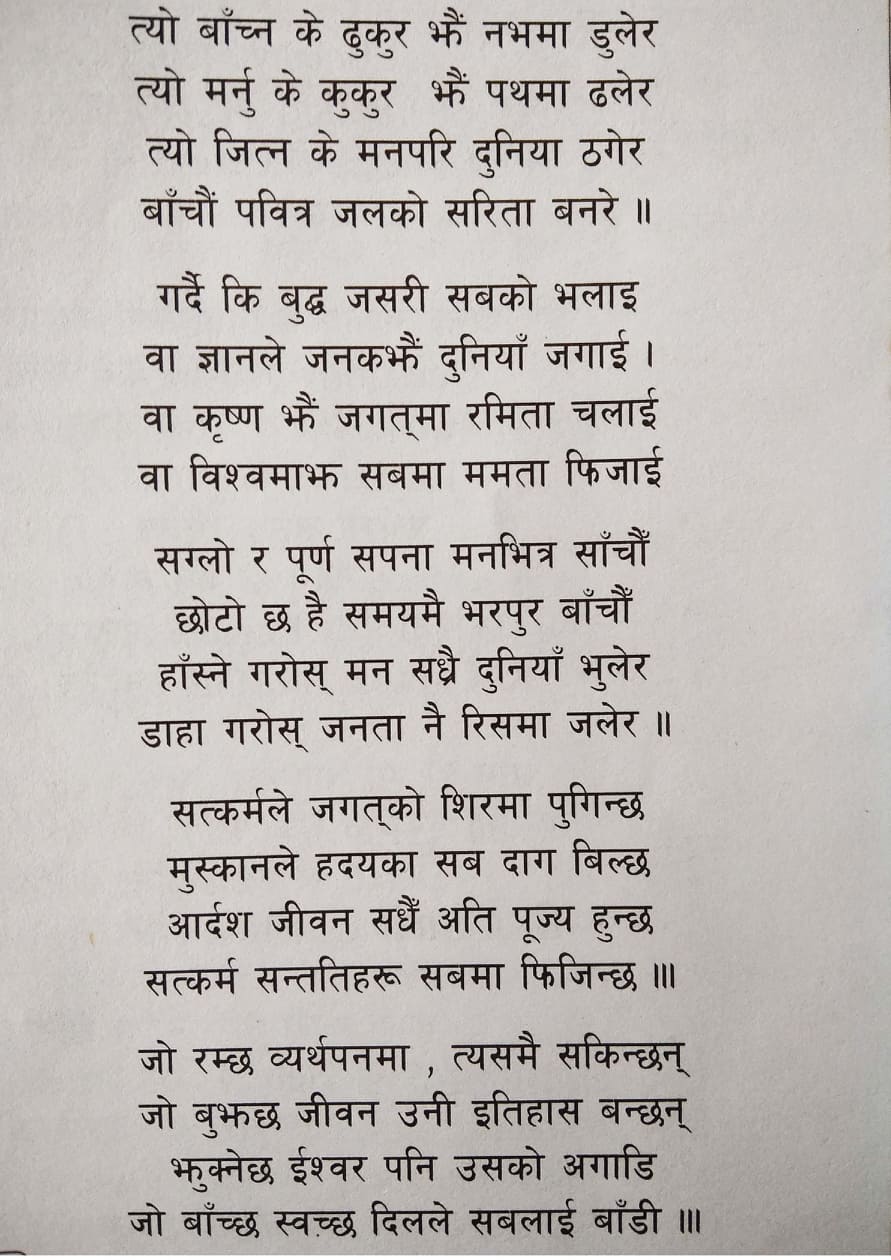
loc="2.jpg" #Enter the loction of image
Image(loc)
img = cv2.imread(loc)
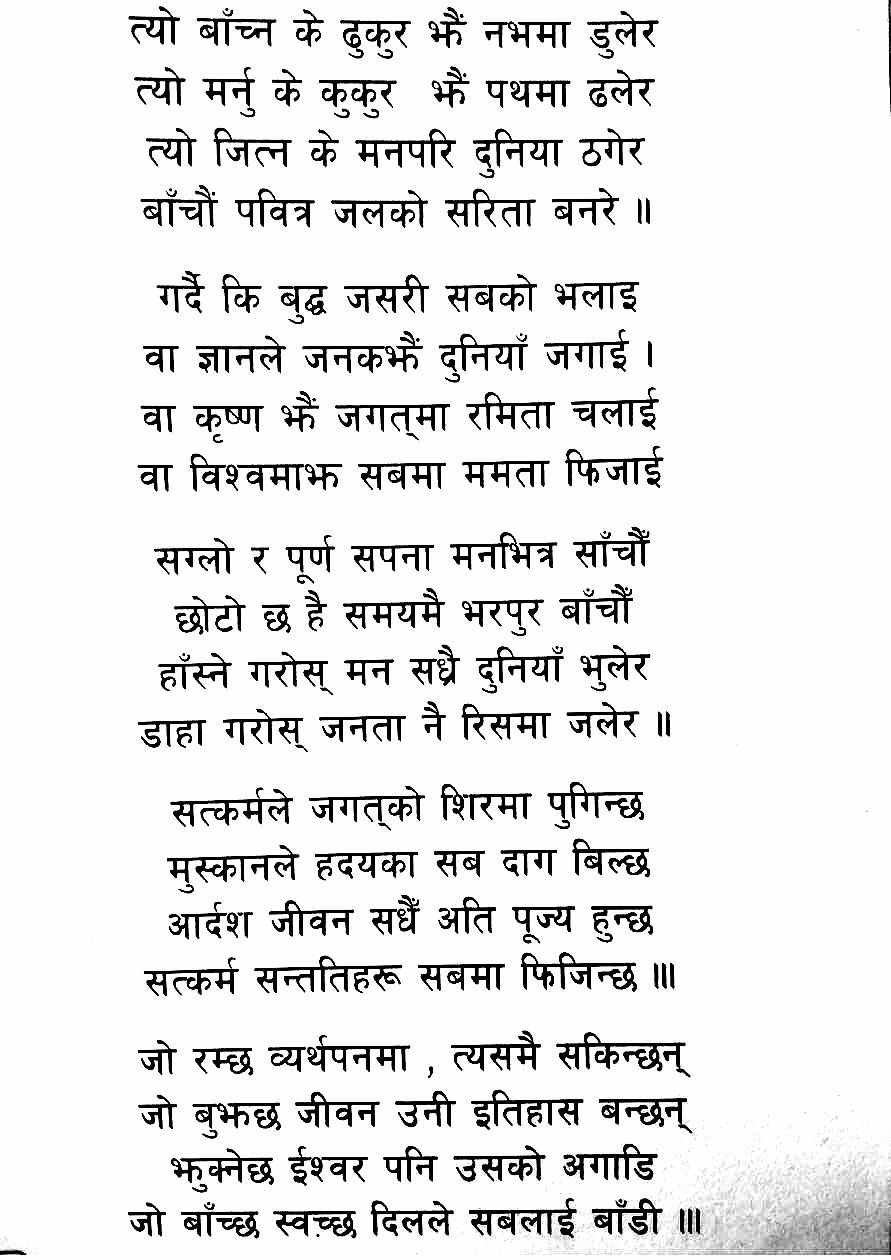
image = scan_effect(img)
#from google.colab.patches import cv2_imshow
#cv2_imshow(image)
filename = 'scanned.jpg'
cv2.imwrite(filename, image)
True
Loading Image
path=filename
Image(path)
Detecting character from image
output = reader.readtext(path)
Output
output
[([[123, 1], [667, 1], [667, 67], [123, 67]],
  'त्या बांच्न के ढुकुर झैं नभमा डुलेर',
  0.3381714640956552),
 ([[129, 59], [409, 59], [409, 128], [129, 128]],
  'त्यो मर्नु के कुकुर',
  0.6069389645579002),
 ([[424, 60], [663, 60], [663, 116], [424, 116]],
  'झैं पथमा ढलेर',
  0.678598319341647),
 ([[141, 121], [655, 121], [655, 185], [141, 185]],
  'त्याे जित्न के मनपरि दुनिया ठगेर',
  0.466542709532707),
 ([[134, 180], [656, 180], [656, 236], [134, 236]],
  'बांचौं पवित्र जलको सरिता बनरे ।',
  0.33612146115405894),
 ([[151, 267], [647, 267], [647, 329], [151, 329]],
  'गर्दै कि बुद्घ जसरी सबको भलाइ',
  0.5689838746811848),
 ([[138, 329], [294, 329], [294, 380], [138, 380]],
  'वा ज्ञानले',
  0.5712557530269956),
 ([[428, 325], [639, 325], [639, 392], [428, 392]],
  'दुनियां जिगाई',
  0.5282788595967648),
 ([[135, 383], [667, 383], [667, 445], [135, 445]],
  'वा कृष्ण झैं जगत्मा रमिता चलाई',
  0.6665105167823989),
 ([[136, 462], [176, 462], [176, 494], [136, 494]], 'वा', 0.41052963629001243),
 ([[181, 441], [673, 441], [673, 501], [181, 501]],
  'विश्वमाझ सबमा ममता फिजाई',
  0.6406025192944045),
 ([[151, 535], [275, 535], [275, 579], [151, 579]],
  'सग्लो र',
  0.7202154126778443),
 ([[278, 519], [659, 519], [659, 594], [278, 594]],
  'पूर्ण सपना मनभित्र सांचौं',
  0.8457427886612249),
 ([[169, 577], [644, 577], [644, 645], [169, 645]],
  'छोटो छ है समयमै भरपुर बांचौं',
  0.4758441227091572),
 ([[151, 637], [659, 637], [659, 701], [151, 701]],
  'हांस्ने गरोस् मन सध्रै दुनियां भुलेर',
  0.5020757275372445),
 ([[134, 698], [676, 698], [676, 754], [134, 754]],
  'डाहा गरोस् जनता नै रिसमा जलेर ।',
  0.4316845329398307),
 ([[161, 777], [653, 777], [653, 839], [161, 839]],
  'सत्कर्मले जगत्को शिरमा पुगिन्छ',
  0.7593451815519658),
 ([[308, 834], [659, 834], [659, 888], [308, 888]],
  'हदयका सब दाग बिल्छ',
  0.8728011010651449),
 ([[159, 889], [661, 889], [661, 949], [159, 949]],
  'आर्दश जीवन सधैं अति पूज्य हुन्छ',
  0.5903392799676969),
 ([[135, 946], [683, 946], [683, 1006], [135, 1006]],
  'सत्कर्म सन्ततिहरू सबमा फिजिन्छ ।।।',
  0.493018168522814),
 ([[134, 1030], [418, 1030], [418, 1082], [134, 1082]],
  'जो रम्छ व्यर्थपनमा',
  0.8048376333582101),
 ([[443, 1024], [702, 1024], [702, 1084], [443, 1084]],
  'त्यसमै सकिन्छन्',
  0.5815147920443708),
 ([[134, 1086], [700, 1086], [700, 1143], [134, 1143]],
  'जो बुझछ जीवन उनी इतिहास बन्छन्',
  0.7268483165161402),
 ([[163, 1138], [664, 1138], [664, 1192], [163, 1192]],
  'झक्नेछ ईश्वर पनि उसको अगाडि',
  0.47465339469231005),
 ([[124, 1192], [708, 1192], [708, 1246], [124, 1246]],
  'जो बांच्छ स्वच्छ दिलले सबलाई बांडी ।०',
  0.41452520111176533),
 ([[295.2103500411843, 334.2731201317898],
   [429.4015153514063, 324.3877917562871],
   [430.7896499588157, 377.7268798682102],
   [296.5984846485937, 388.6122082437129]],
  'जनकभैं',
  0.8082762642642637),
 ([[160.20510460345565, 850.3332719689847],
   [304.5957251500903, 837.0304035071042],
   [306.79489539654435, 885.6667280310153],
   [162.4042748499097, 897.9695964928958]],
  'मुस्कानले',
  0.9778876236551189)]
Total detection
print(f'Total number of detection',len(output))
Total number of detection 27
Previewing Output
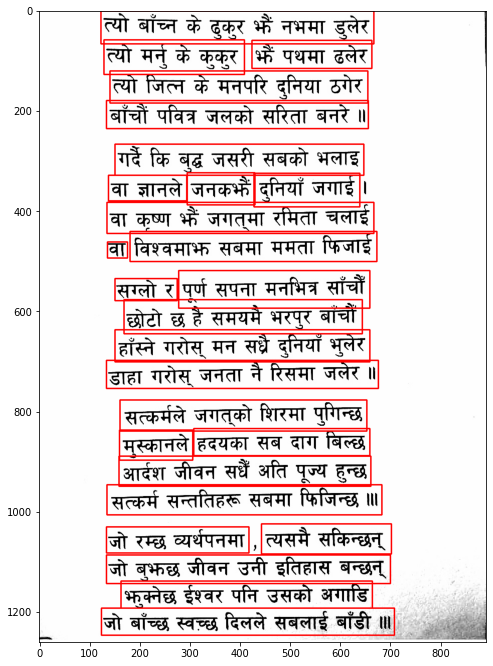
image = cv2.imread(path)
for i in range(len(output)):
  cord = output[i][0]
  x_min, y_min = [int(min(idx)) for idx in zip(*cord)]
  x_max, y_max = [int(max(idx)) for idx in zip(*cord)]
  cv2.rectangle(image,(x_min,y_min),(x_max,y_max),(0,0,255),2)
  print(output[i][1])

plt.imshow(cv2.cvtColor(image, cv2.COLOR_BGR2RGB))
त्या बांच्न के ढुकुर झैं नभमा डुलेर
त्यो मर्नु के कुकुर
झैं पथमा ढलेर
त्याे जित्न के मनपरि दुनिया ठगेर
बांचौं पवित्र जलको सरिता बनरे ।
गर्दै कि बुद्घ जसरी सबको भलाइ
वा ज्ञानले
दुनियां जिगाई
वा कृष्ण झैं जगत्मा रमिता चलाई
वा
विश्वमाझ सबमा ममता फिजाई
सग्लो र
पूर्ण सपना मनभित्र सांचौं
छोटो छ है समयमै भरपुर बांचौं
हांस्ने गरोस् मन सध्रै दुनियां भुलेर
डाहा गरोस् जनता नै रिसमा जलेर ।
सत्कर्मले जगत्को शिरमा पुगिन्छ
हदयका सब दाग बिल्छ
आर्दश जीवन सधैं अति पूज्य हुन्छ
सत्कर्म सन्ततिहरू सबमा फिजिन्छ ।।।
जो रम्छ व्यर्थपनमा
त्यसमै सकिन्छन्
जो बुझछ जीवन उनी इतिहास बन्छन्
झक्नेछ ईश्वर पनि उसको अगाडि
जो बांच्छ स्वच्छ दिलले सबलाई बांडी ।०
जनकभैं
मुस्कानले
Summary
In this way we successfully completed this short project which was of detecting Nepali words.
Find the GOOGLE COLAB HERE. Feel free to star this code on Github.
Cite This Post
Auto-generated. Verify for your institution's requirements.